Booker — SMS opt-in
A product of Zia Capital, LLC · captured 8 August 2026
This page shows how a Booker user consents to receive text messages. Booker's sign-up is inside a mobile app, so the screens below are captured from the live build rather than reachable as a public form.
Program
| Program name | Booker |
|---|---|
| Operated by | Zia Capital, LLC |
| Messages are sent from | +1 855 774 2521 · +1 669 690 3281 |
| Message types | One-time verification codes, and updates about tasks the user has asked Booker to carry out. No marketing messages are sent. |
| Message frequency | Varies, depending on what the user has asked Booker to do. |
| Cost | Message and data rates may apply. |
| Stopping messages | Reply STOP to cancel, HELP for help, START to resubscribe. Help is also available at hello@ziahamza.com. |
How a user opts in
The user enters their own mobile number and ticks a consent box that is unchecked by default. The box is separate from agreement to the Terms of Service and Privacy Policy: ticking it is the only way to consent to messages, and agreeing to the Terms does not grant that consent.
Until the box is ticked, no verification code is sent — the “Text me” action does nothing and the user is told the box must be ticked first. Booker then sends a one-time code by SMS, and the user enters it to prove the number is theirs.
The consent language shown, word for word:
Text me at this number. Booker sends verification codes and updates about the tasks you ask for. Message frequency varies. Message and data rates may apply. Reply STOP to cancel, HELP for help. Terms · Privacy
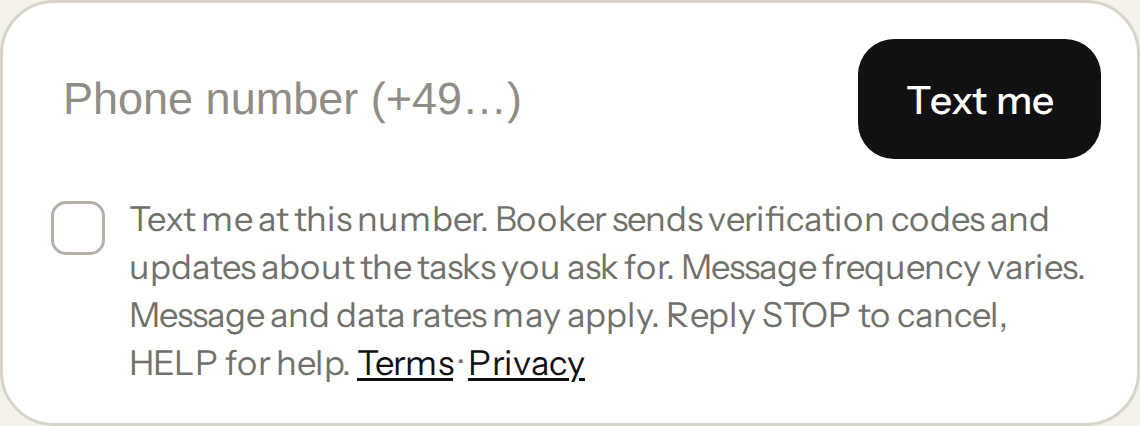
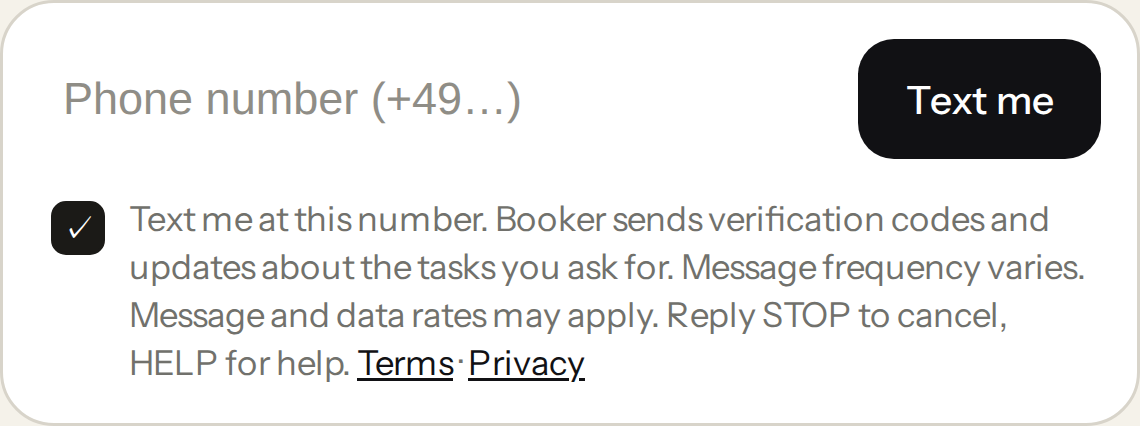
The full screen, for context:
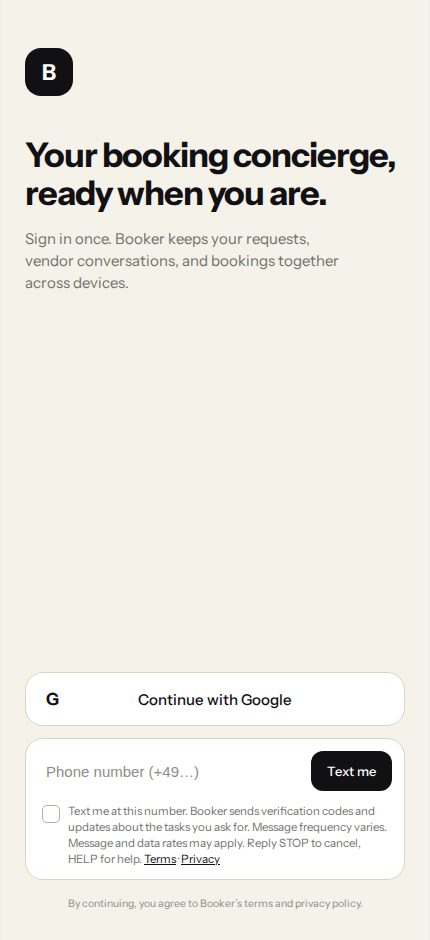
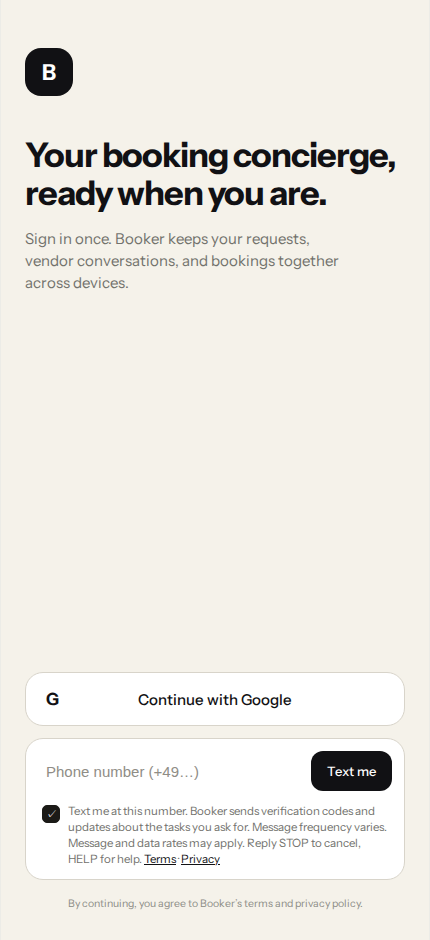
Booker records each consent: the number it covers, the version and the full text of the language shown, and the date and time it was given. A record of that consent is retained, and it is kept when consent is later withdrawn so that the withdrawal is recorded too.
Stopping messages
Replying STOP, STOPALL, UNSUBSCRIBE, CANCEL, END, QUIT, OPTOUT or REVOKE to a Booker number withdraws consent for that number. Booker confirms once and sends nothing further to it. Replying START opts back in.
Replying HELP or INFO returns a message identifying Booker and how to get support.
Who Booker messages
Booker sends text messages to its own users, on numbers those users have verified and consented on as described above. Booker does not sell or share mobile information or consent with third parties or affiliates for marketing purposes, and it does not send marketing messages.
See also the Booker overview, the Privacy Policy, and the Terms of Service.
← Back to Booker